Most people start their digital setup like they’re blindfolded solving a Rubik’s Cube. They pick the latest gadgets first, then try to make everything work together. This often results in a complex system that’s hard to manage.
Your network is the base of your digital world. It’s like the heart of your smart home, the brain of your entertainment, and the spine of your work-from-home setup.
Many smart homes fail because of poor network setup. People think adding mesh nodes is enough. But your home network design is key to smooth streaming or endless buffering.
Good home network wiring prewire is more important than any device. It ensures your digital life runs smoothly, without crashing.
ISP handoff, demarcation, and redundancy
Your ISP handoff is like a digital Ellis Island. It’s where the internet comes into your home. It’s not just a small detail; it’s the base of your home network wiring system. I’ve seen many handoffs go wrong, like bad season finales of Game of Thrones.
The demarcation point marks where your ISP’s job ends and yours starts. It’s like a network Berlin Wall. Knowing where it is helps avoid fights with your internet provider.
Where you place your ISP handoff matters a lot. I once found a modem hidden behind an entertainment center. It needs a cool, easy-to-reach spot with good air and power. Think of it as giving your internet a visa, not leaving it in limbo.
Redundancy is smart, not paranoid. Having a backup connection is like having a spare key for your digital life. The regulatory standards say critical systems need backups. Your home should too.
Here are key things for your network’s border control:
- Clear demarcation point labeling
- Dedicated circuit for primary connection
- Backup internet solution (5G/LTE failover)
- Proper surge protection at entry point
- Accessible testing ports for diagnostics
Your demarcation plan helps you fix problems fast. When the internet goes down, knowing where to start is key. Proper demarcation tells you quickly if it’s the ISP’s fault or yours.
Redundancy planning makes your setup professional. Having two different internet paths is wise. It ensures your video calls won’t drop during important presentations. It’s like wearing both a belt and suspenders.
Remember, your internet is your smart home’s lifeblood. Treat the entry point with care. Doing so will save you from many headaches.
Wi‑Fi 7 placement, heatmaps, and roaming
Wi-Fi 7 is all about the right spot, not fancy tech. A wrong move can ruin your network. I’ve seen many home network wiring prewire fails. People buy top-notch Wi-Fi 7 gear but ignore where to put it.
Putting access points in the right spot is key. It’s like setting up speakers for sound waves. Metal and concrete can block signals. Even a fish tank can mess with your Wi-Fi.
Once, a tech put an access point in a metal console. The signal was weak. The client’s Wi-Fi 7 was slow, like dial-up.
Heatmaps turn guessing into science. They show where your Wi-Fi is strong or weak. These maps are like a guide for your network.
These maps highlight where your Wi-Fi works well and where it doesn’t. They’re like an MRI for your network, showing hidden problems.
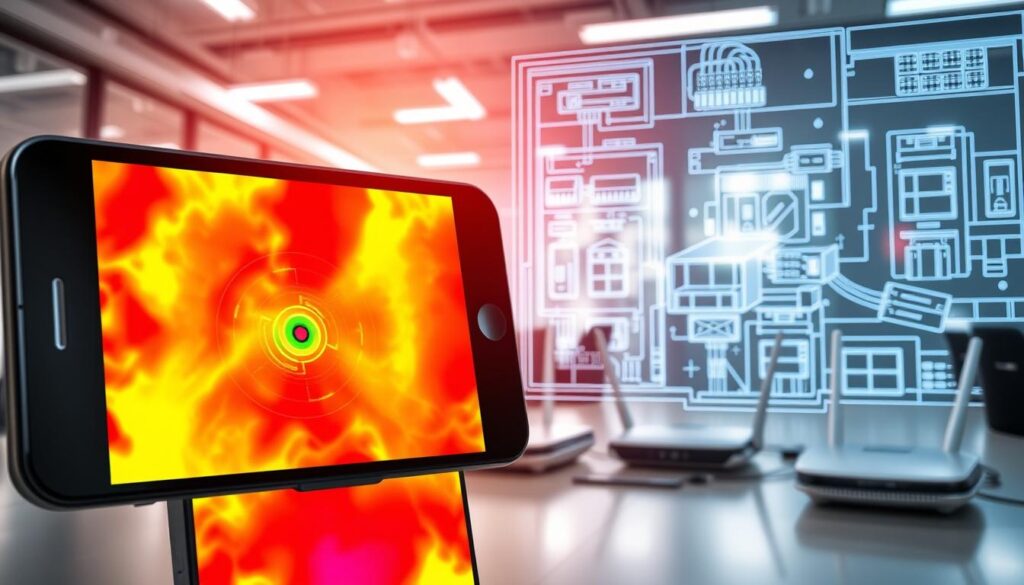
Wi-Fi 7 roaming is a game-changer. Devices move between spots without losing connection. It’s like having a personal guide for your device.
But, it needs the right access point placement. You need to find the perfect balance. Too much overlap causes problems, too little means drops.
Here are some tips for the best placement:
| Placement Strategy | Result | Recommended For |
|---|---|---|
| Central ceiling mount | Excellent 360° coverage | Open floor plans |
| High wall placement | Good directional coverage | Multi-story homes |
| Concealed in furniture | Poor signal propagation | Decorative purposes only |
| Behind large objects | Severe signal degradation | Creating dead zones |
Good home network wiring prewire is key. Ethernet should end where access points work best. Think about furniture and materials. A stone wall might look great but harm your Wi-Fi.
Wi-Fi 7’s cool features only work with the right setup. Even with advanced features, bad placement ruins everything. It’s like a fast car stuck in traffic.
The right spot makes your Wi-Fi 7 work as it should. It turns expensive gear into the smooth connection you want.
Ethernet and PoE for APs, cameras, touchpanels
The Ethernet cable is a hero in today’s world. It’s reliable when Wi-Fi fails. I’ve seen smart homes fall apart because they rely too much on wireless.
Power over Ethernet changes how we install devices. It’s like having a charger that also makes espresso. PoE switches make installations cleaner and easier.
Planning for home network wiring prewire is key. We used PoE to power everything in a recent project. The client was amazed, saying they didn’t need outlets everywhere.
Wired connections are essential for important devices:
- They avoid interference from other networks
- They provide steady power without drops
- They offer better security through physical connections
- They prepare for future bandwidth needs
PoE switches manage power and monitor usage. They keep your network running smoothly, even when wireless tech fails. They’re vital for security and video calls.
Good home network wiring prewire lasts for decades. While wireless tech changes, copper wiring stays relevant. It supports future tech without needing big updates.
Quality PoE switches and cabling might not be exciting. But they make a huge difference. They ensure your network works well, without frustrating delays.
Fiber runs for long distances and 8K distribution
Fiber optics are now in homes, making Bond villain dreams real. What was once only in big data centers now brings amazing speed to homes. Clients’ eyes light up when they see the difference, like going from dial-up to broadband.
Fiber is way better for long distances than copper. Copper signals fade like a whisper in a long hallway. But fiber stays strong for miles, perfect for big homes or separate buildings.
One client needed a 300-foot fiber run to their studio. Copper would have been a mess. But fiber lets them stream 8K videos smoothly.
8K distribution needs fiber backbone infrastructure. Copper can’t handle the 48Gbps needed for 8K video. It’s like trying to push the Library of Congress through a hose every minute.
Fiber is smart for any serious home network wiring prewire. Data use grows fast, and fiber has room to grow. Clients never regret fiber, but some wish they had.
| Feature | Fiber Optic | Copper Ethernet | Real-World Difference |
|---|---|---|---|
| Maximum Distance | Several miles | 328 feet | Whole property vs. single room |
| 8K Support | Flawless | Compromised | Reference quality vs. pixelated |
| Future Bandwidth | Virtually unlimited | Limited | Never replace vs. frequent upgrades |
| Interference Resistance | Complete immunity | Vulnerable | Clean signal vs. electrical noise |
| Installation Cost | Higher initially | Lower initially | Long-term savings vs. recurring costs |
Setting up a fiber backbone needs pros. It’s not DIY. It’s like surgery, needing precision and expertise.
Fiber is worth it for streaming, video calls, and big file transfers. It makes your network fast, so you don’t get frustrated with slow speeds.
Fiber makes 8K streaming great, not just possible. It’s the difference between just seeing specs and really enjoying content. When your network works well, you know it’s done right.
Rack layout, cooling, UPS, and labeling
Imagine walking into a server room that looks like a digital hurricane. Wires hang like vines, equipment stacks like Jenga, and heat radiates like a sauna. This isn’t just messy – it’s a disaster waiting to happen. Proper rack layout turns chaos into order, supporting your digital world.
Your network rack is like a vertical city. Heavy equipment goes at the bottom for stability. Switches and panels are in the middle for easy access. Lighter devices go up top. This isn’t just about looks – it’s physics and function. A good home network wiring prewire plan puts everything in its place from the start.
Heat is a silent killer. I’ve seen more equipment die from heat than from power surges or user errors. Proper cooling is essential. Your equipment needs to breathe like a marathon runner, not suffocate like a submarine.
Here are some cooling basics:
- Maintain 64-80°F operating temperatures
- Ensure adequate front-to-back airflow
- Use blanking panels to prevent hot air recirculation
- Monitor temperature at rack intake and exhaust points
The UPS system is a network’s unsung hero. It’s not just an accessory – it’s digital life insurance. I’ve seen clients lose hours of work thinking “a quick power flicker won’t hurt.” A good UPS protects your investment from power issues that slowly damage equipment.
| UPS Type | Runtime | Best For | Investment Protection |
|---|---|---|---|
| Standby | 5-10 minutes | Basic equipment | Medium |
| Line Interactive | 10-30 minutes | Home office | High |
| Double Conversion | 30+ minutes | Critical systems | Maximum |
Labeling is the secret sauce that separates pros from amateurs. I once spent three hours tracing cables in a setup that looked like digital spaghetti. Proper cable identification isn’t just about organization – it’s about sanity during troubleshooting.
Effective structured cabling follows simple but essential rules:
- Label both ends of every cable with source and destination
- Use consistent color coding for different cable types
- Maintain updated documentation with every change
- Leave service loops for future modifications
The difference between a network that serves you and one that enslaves you often comes down to these four elements. Proper rack layout, adequate cooling, reliable UPS protection, and meticulous labeling turn your network into an asset. It’s the difference between conducting a symphony orchestra and herding cats – both make noise, but only one is beautiful.
VLANs, firewalls, and guest networks
Think of your home network as a digital neighborhood. Not every device needs access to every room. VLANs create virtual gated communities within your network. I set them up during the home network wiring prewire phase.
Why keep your smart toaster separate from your financial documents? IoT devices are friendly but vulnerable. A proper VLAN setup keeps your fridge from sharing your Netflix password with hackers.
Firewalls act as your network’s bouncers. They check IDs and monitor conversations. Modern firewalls can detect suspicious behavior, like your teen’s gaming console, and quarantine it.
Guest networks are more than just politeness. They’re digital visitor passes that expire when guests leave. I set up a system where the guest network limits bandwidth during work hours. This stops video-streaming relatives from slowing down your Zoom calls.
Here’s how these security layers work together in a well-planned home network wiring prewire system:
| Security Layer | Primary Purpose | Key Benefit | Implementation Tip |
|---|---|---|---|
| VLANs | Device segregation | Contains breaches | Plan during prewire phase |
| Firewalls | Traffic monitoring | Real-time threat detection | Hardware-based for best performance |
| Guest Networks | Visitor access control | Bandwidth management | Automatic expiration settings |
| Combined Approach | Defense in depth | Comprehensive protection | Professional configuration recommended |
The beauty of proper home network wiring prewire planning is that these security features work together seamlessly. Your network becomes a digital Fort Knox where you control access at every level. No more worrying about devices chatting behind your back.
Remember: A secure network isn’t about being paranoid. It’s about being smart enough to know that in today’s connected world, your smart lightbulbs probably don’t need access to your bank account. Planning this during the initial home network wiring prewire ensures everything works harmoniously from day one.
Cable schedules, conduit, and future pull strings
Cable schedules are like the key to your home network wiring prewire. Without them, you’re lost, like trying to put together IKEA furniture without instructions. I make detailed plans so you can rebuild your system years later.
My cable schedules list everything from where cables end to what type they are. They make your installation look like a pro job, not a wild guess. Imagine someone tracing cables like they’re on a treasure hunt. That’s what happens without these plans.
Conduit is your network’s shield against old technology. I plan every conduit run for the future, like it’s ready for something new. That plastic tubing is more important than the cables inside.
Here’s why conduit installation is key for home network wiring prewire:
| Conduit Type | Best Use Case | Future-Proof Rating |
|---|---|---|
| EMT (Electrical Metallic Tubing) | Basements and garages | Excellent |
| PVC Schedule 40 | Underground runs | Good |
| Smurf Tube (Flexible Conduit) | Retrofit situations | Fair |
| LFMC (Liquid Tight) | Outdoor applications | Very Good |
Pull strings are the heroes of infrastructure. I always add extras because fishing cables without them is hard. Those colorful strings in junction boxes? That’s not laziness, it’s planning ahead.
Future-proofing isn’t about guessing the future. It’s about making paths for when it arrives. Spending $50 on conduit and pull strings today can save $5,000 in repairs tomorrow.
Smart home network wiring prewire means planning for the unknown. I design systems for future tech, like 100Gbps fiber or power-over-everything. The goal is to be ready, not right.
Acceptance testing and documentation set
Think your home network wiring is complete when the last cable gets pulled? That’s like thinking the cake is done when you pull it from the oven. The real magic happens during acceptance testing. I approach this phase with the rigor of a NASA engineer preparing for launch.
Every connection gets tested. Every access point gets measured. Every port gets verified. This isn’t about things “seeming to work” – it’s about empirical evidence that your investment performs as promised. Your home network prewire deserves nothing less than certified performance validation.
But testing alone isn’t enough. The documentation set I provide would make a librarian weep with joy. Cable maps, configuration details, performance baselines – everything future you or some technician in 2030 might need. I’ve been called back to systems I installed years ago and solved issues in minutes, not days, thanks to proper documentation.
Your home network wiring isn’t just about today’s needs. It’s about creating a foundation that serves you for years. The testing proves it works now. The documentation ensures it keeps working. That’s the difference between being a temporary vendor and becoming a long-term partner in your digital lifestyle.